In service with the
INDIAN ARMY
Live at an Army unit in Amritsar, Punjab
Biometric attendance and access control, for guarded gates.
SentryFace connects to your eSSL face terminals and turns them into a complete
attendance and access system — muster, shifts, registers, reports, deny list and
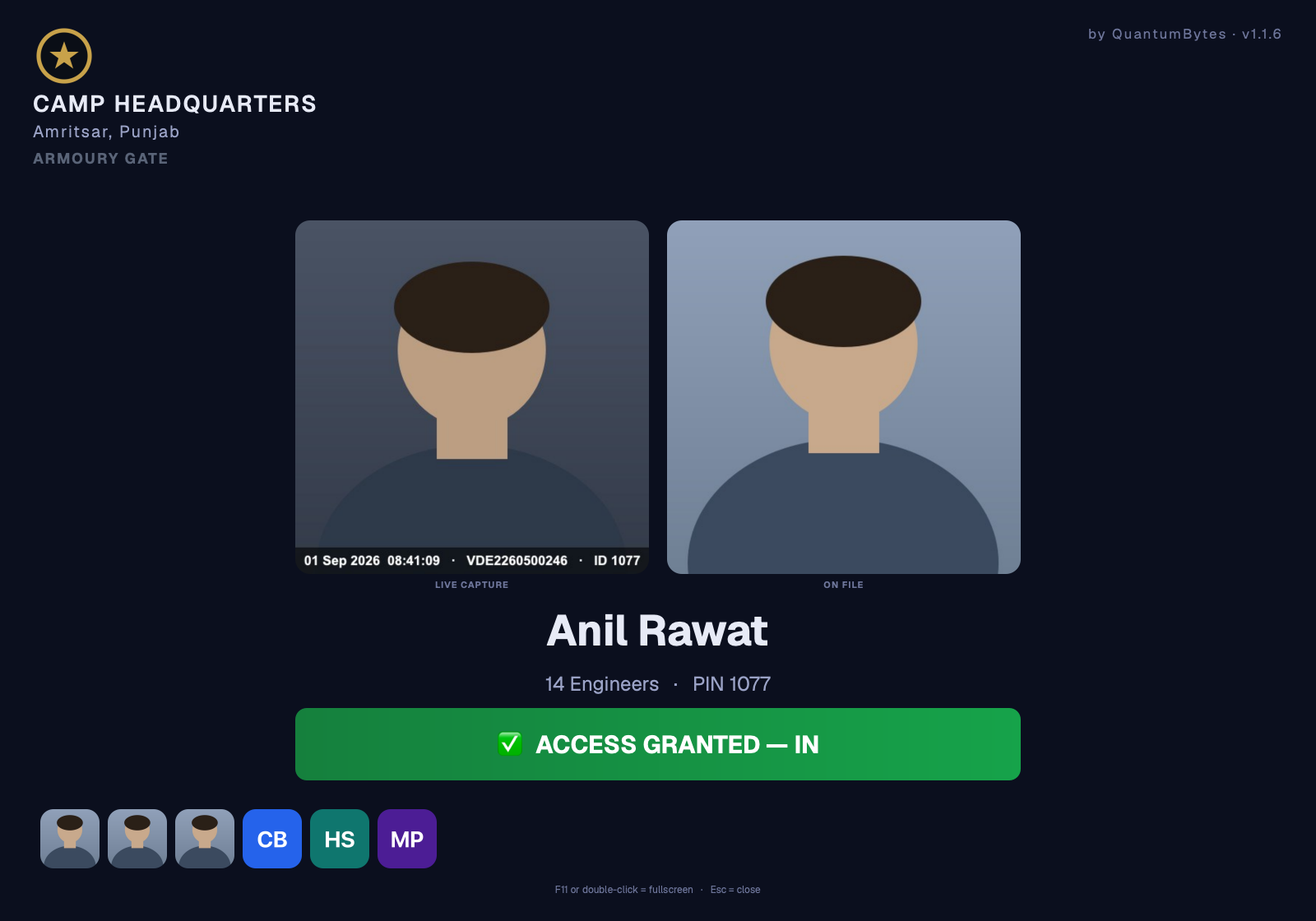
visitor passes. At the gate it puts the live capture beside the enrolled photo,
so the sentry sees who arrived, not just that somebody did.
It runs entirely offline: no internet, no cloud, nothing leaving the camp.
The gate display, exactly as it appears on the monitor at the post.
In service with the Indian Army.
SentryFace was written for a military gate, not adapted from an office product.
It is live at an Indian Army unit in
Amritsar, Punjab — running on the eSSL terminals already installed
there, offline, on the unit’s own computer, with every record staying
inside the perimeter. It has since been proven across multiple gates and
multiple units.
Real screens
Not mock-ups. The software itself.
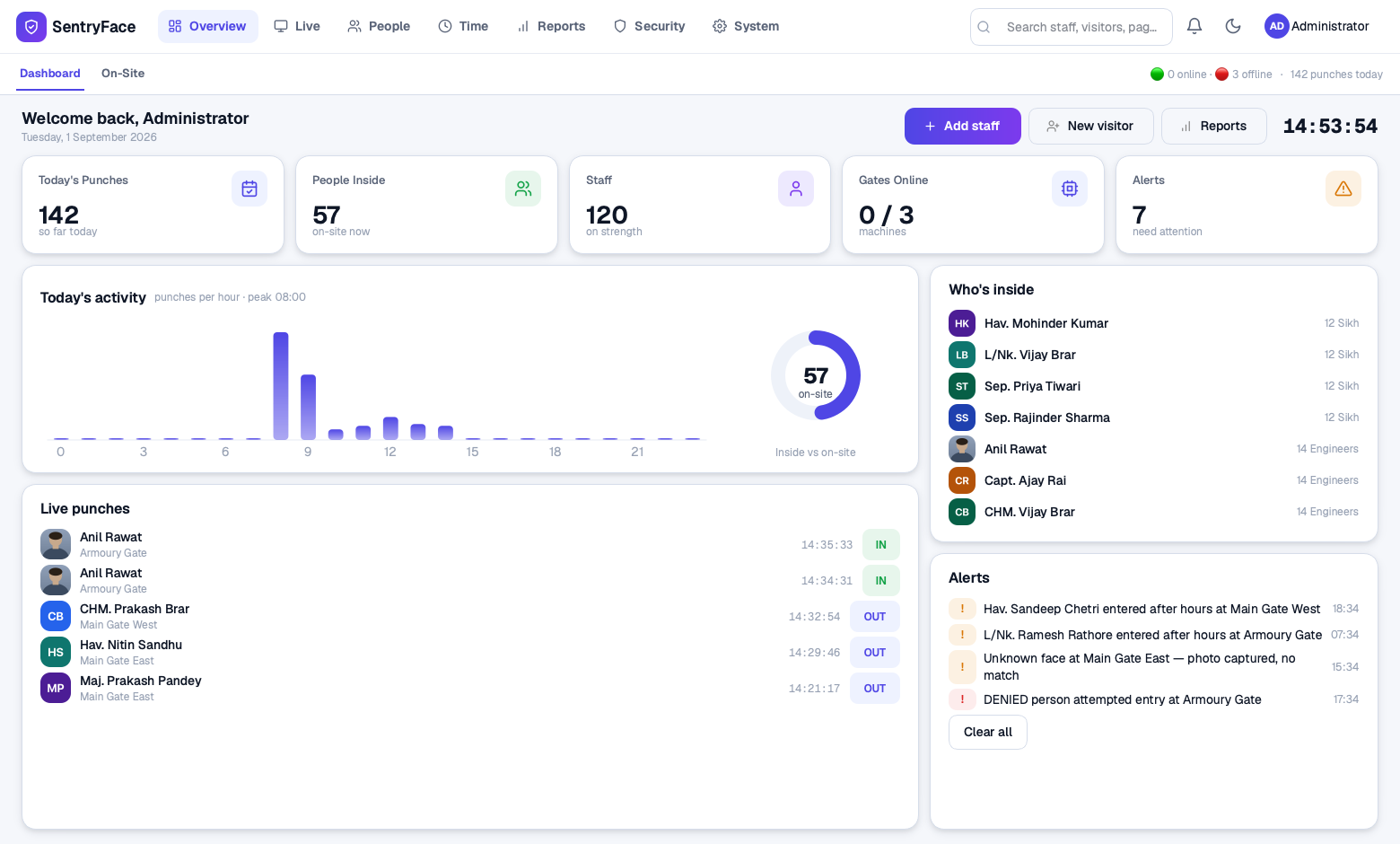
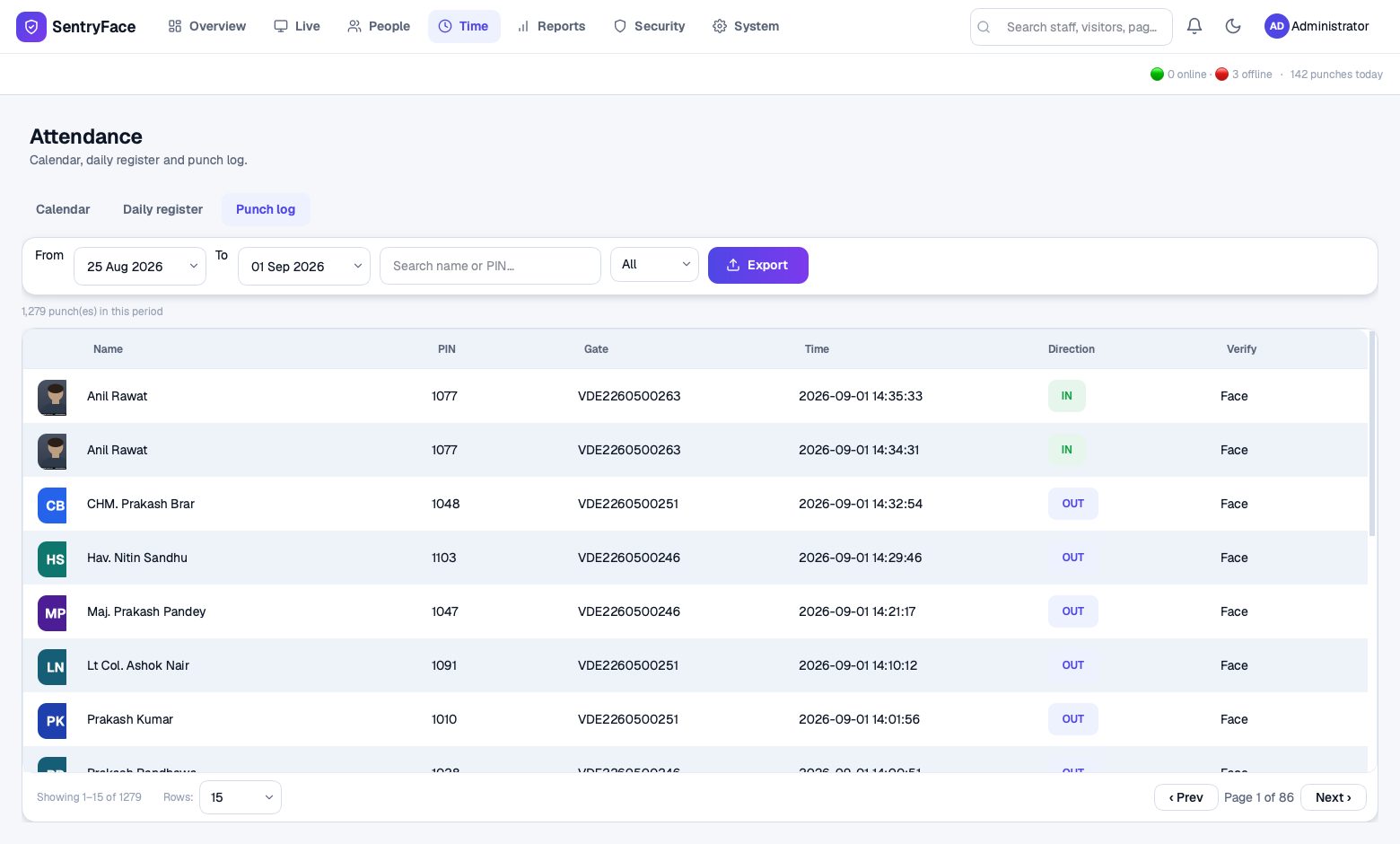
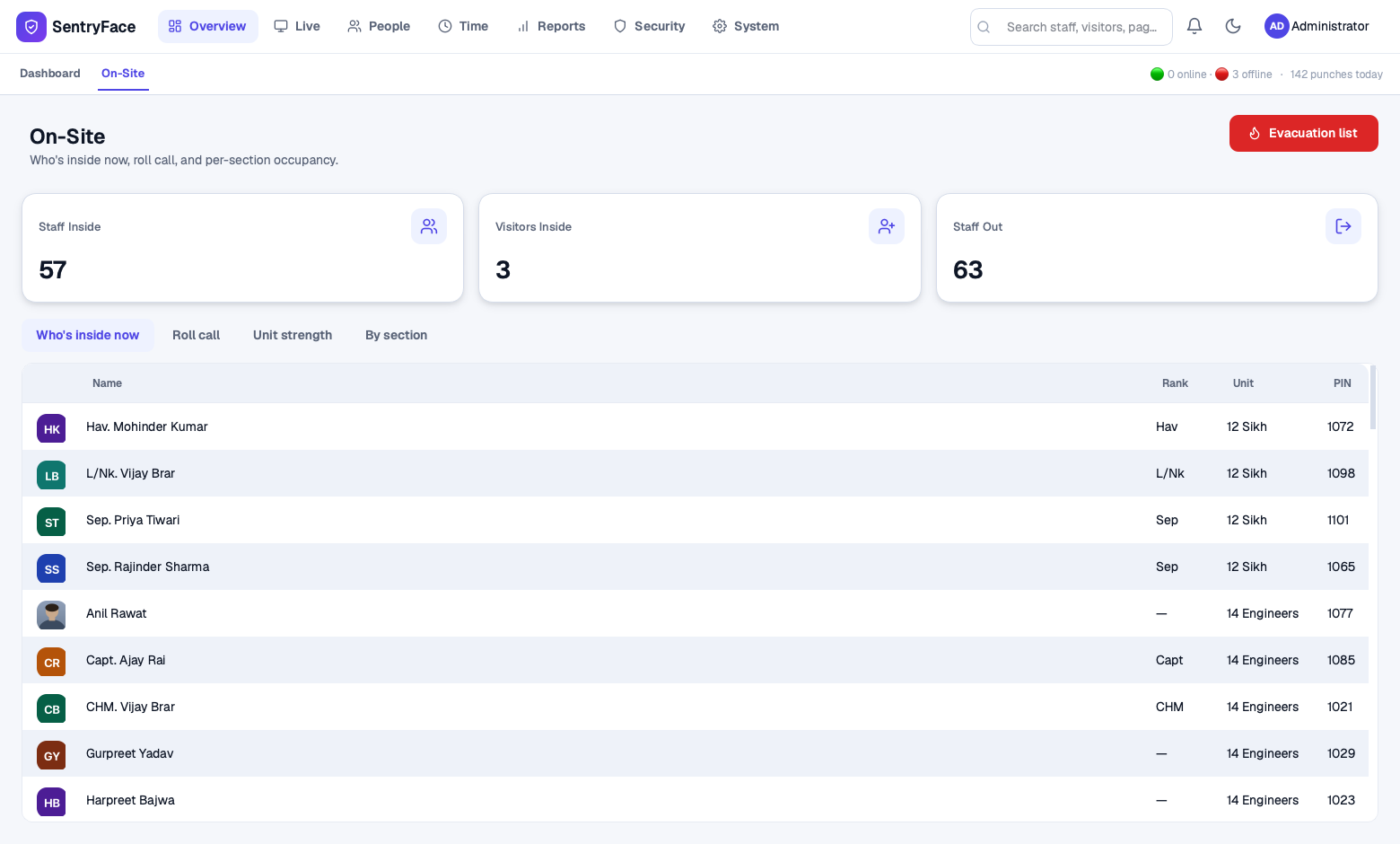
Every screen below is a photograph of SentryFace running, with a full register
behind it. The faces are drawn, not photographed — no serving soldier appears
on this page.
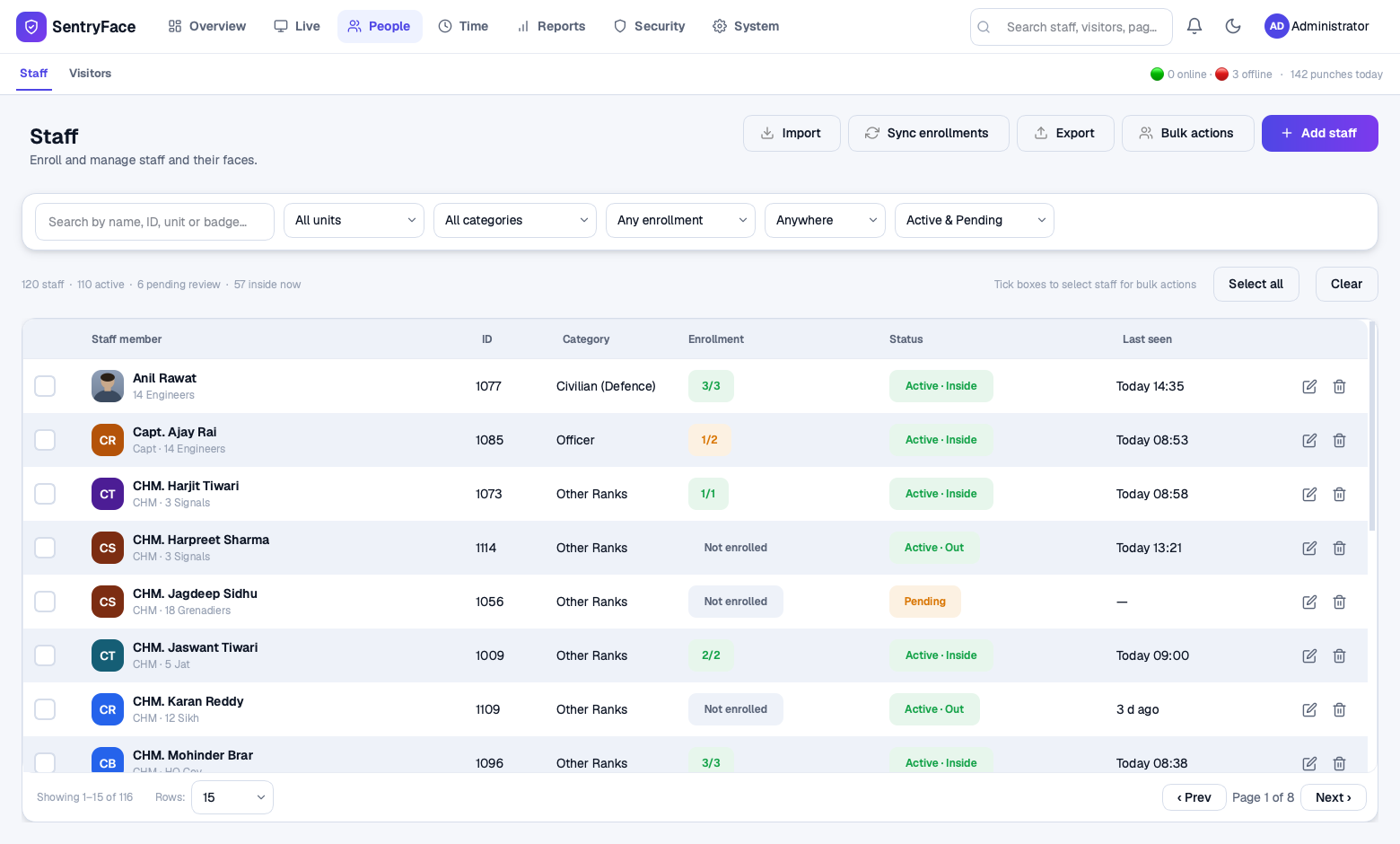
Dashboard — the whole site on one screen, updating as men arrive.Punch log — every entry, with the gate and how the man was verified.On-site — who is inside right now, ready for roll call.Staff — enrolment state and last seen, for every man on strength.
How the face match reaches the gate
Your terminals, given a memory and a screen.
SentryFace speaks the protocol eSSL face terminals already use. Nothing is
replaced — the machines you have become part of a system.
The terminal matches the face
Matching happens on the machine, where it belongs — fast, and unaffected by
whatever the computer is doing.
Entry and photo reach the computer
Over your own cable, in under a second. The terminal sends the entry and the
picture it just took, and both are recorded.
The sentry sees both faces
Live capture beside the enrolled photo on the monitor at the post, with the
name, the unit and a clear granted or denied.
Capabilities
Attendance and access, in one system.
Attendance management
Shifts with grace periods, rosters, weekly offs and holidays turned into a daily
register, a monthly calendar per man, and a full punch log.
Biometric terminals
Connects to eSSL face machines over their own protocol. Enrol from a photo or
capture at the machine — the face is pushed to every terminal the man may use.
Live gate display
A full-screen view for the monitor at the post, sized to be read across a room,
with a spoken greeting if you want one.
Muster & roll call
Who is inside now, by unit or section, with a roll call and an evacuation list
you can produce on the spot.
Deny list
A barred man is disabled on the terminals themselves. The machine refuses him
and the screen raises a red alarm with his record.
Visitors & gate passes
Issue a pass valid for a set period. It expires by itself and the visitor is
checked out automatically.
Reports that can be signed
Muster roll, movement, late arrivals, unit strength and more — on your
letterhead with signature blocks, as PDF, Excel or CSV.
Many gates, several units
Several terminals per post, and units far apart kept in step by joining them
occasionally with a LAN cable.
Runs unattended
Starts with the computer, restarts itself if it ever stops, and backs up the
register every day without being asked.
Proven, not promised
Tested at the size you will actually run it.
5,000staff records, every page opening in under half a second
250,000punches held without the registers slowing down
<1sfrom the terminal matching a man to his photo on the gate screen
0bytes leaving the site — there is nowhere for them to go
Every release is compiled and then driven by a simulated terminal before it ships:
punches sent, photographs checked on disk, and the build refused if a single one is
missing. A gate is not a place to discover a fault.
Why offline matters
No internet. No cloud. Nothing leaves the camp.
SentryFace was written for sites that have no connection and want none. Faces,
photographs and the attendance register all stay on the computer inside your
perimeter, on hardware you control.
No account, no subscription, no server we can see
Installed from a pen drive; the computer never needs the internet
Units exchange data over your own cable, never over a network
Daily backup of the whole register, kept on the machine
Licensed per computer, so nothing phones home to check
Runs on Windows or Linux, on ordinary hardware
Get in touch
See it running before you decide.
We will show it on a real terminal — enrol a man, walk him through the gate and
watch his face appear on the screen. Bring the hardest question you have about
your gate.